
Track, analyse, export
Know where your raffle stands, at any moment
How much you have raised, how many tickets have gone, what works and what is left to do. Everything updates with every payment, in your interface, with no spreadsheet and nothing to install.
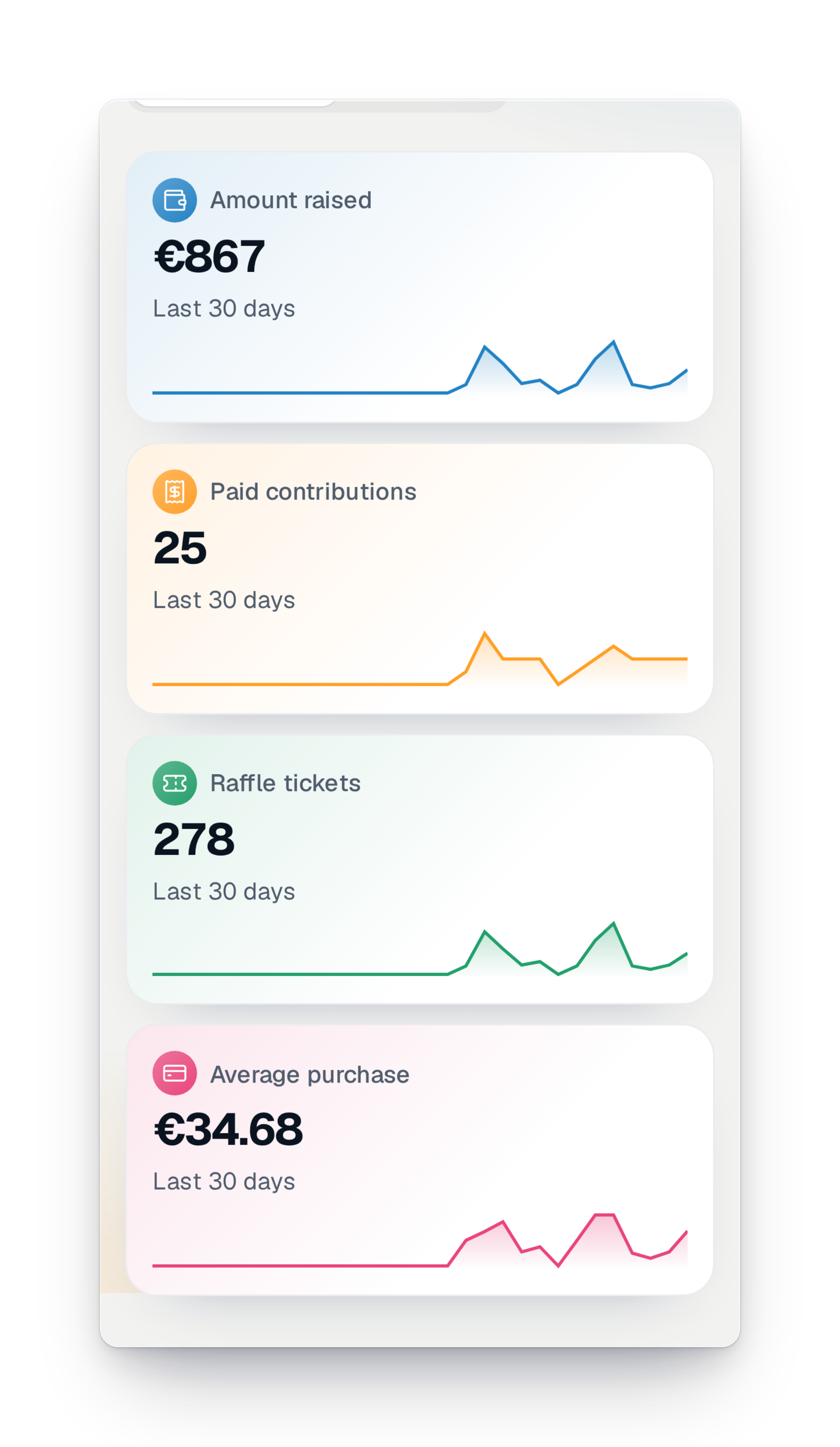
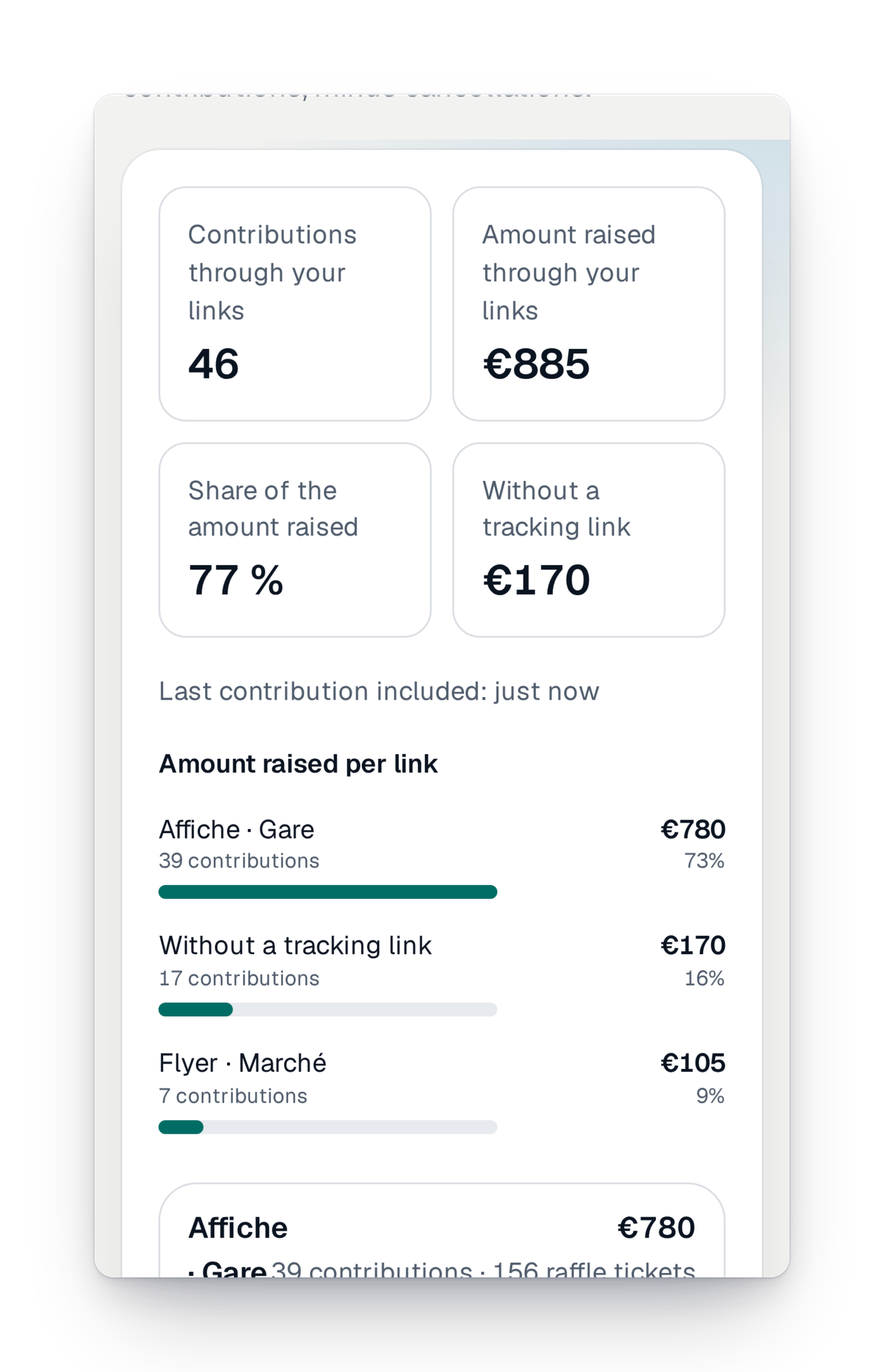
- Updated with every paymentThe dashboard updates as soon as a ticket is paid, without reloading the page.
- Nothing to installYour sales, your visits and your links are measured for you, with no tool to add to your page.
- Everyone sees what they shouldBuyers' contact details stay hidden from team members who don't have that right.
“Where are we?” deserves a real answer
The chair asks how much has been raised. The treasurer wants a clean file for the accounts. The volunteers wonder whether the poster at the station did any good. Too often the answer was put together in the evening, by hand, copying figures into a spreadsheet, or waiting for someone to send you an export.
With GoTombola, the answer is already there. The dashboard shows what has been raised, hour by hour, and what you can expect at closing if the pace holds. The list of tickets and buyers can be searched by name, and each tracking link tells you what it brought in. When you need a file, you choose the columns and the format, and you find it in your exports.
The essential for tracking your sales
One screen to see, at a glance, where your campaign stands.
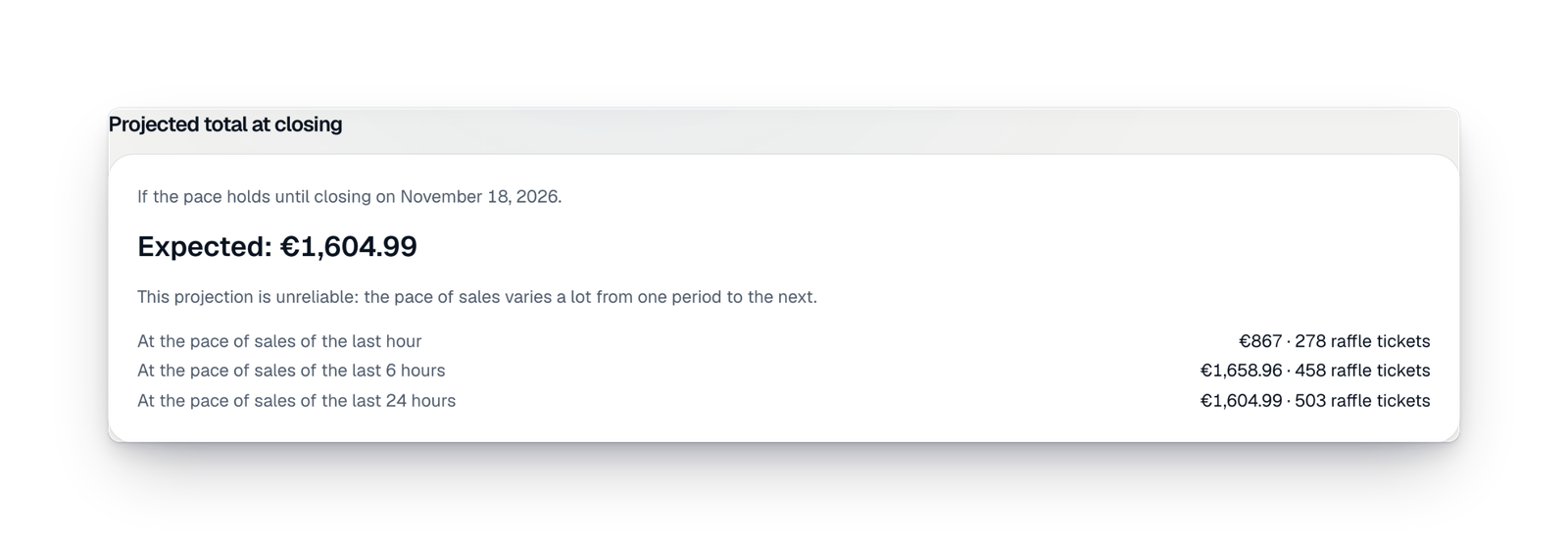
Everything to understand and report
Find a buyer, see what made people buy, prepare a file for the accounts or a report for the board.
Sales and buyers
The list of every sale in your campaign. Search by name, e-mail or phone, and filter what is still to be collected or what was taken out of the draw.
Sales per link
For each tracking link, such as the poster or the newsletter, the sales and the amount it brought in, checked every night against your totals.
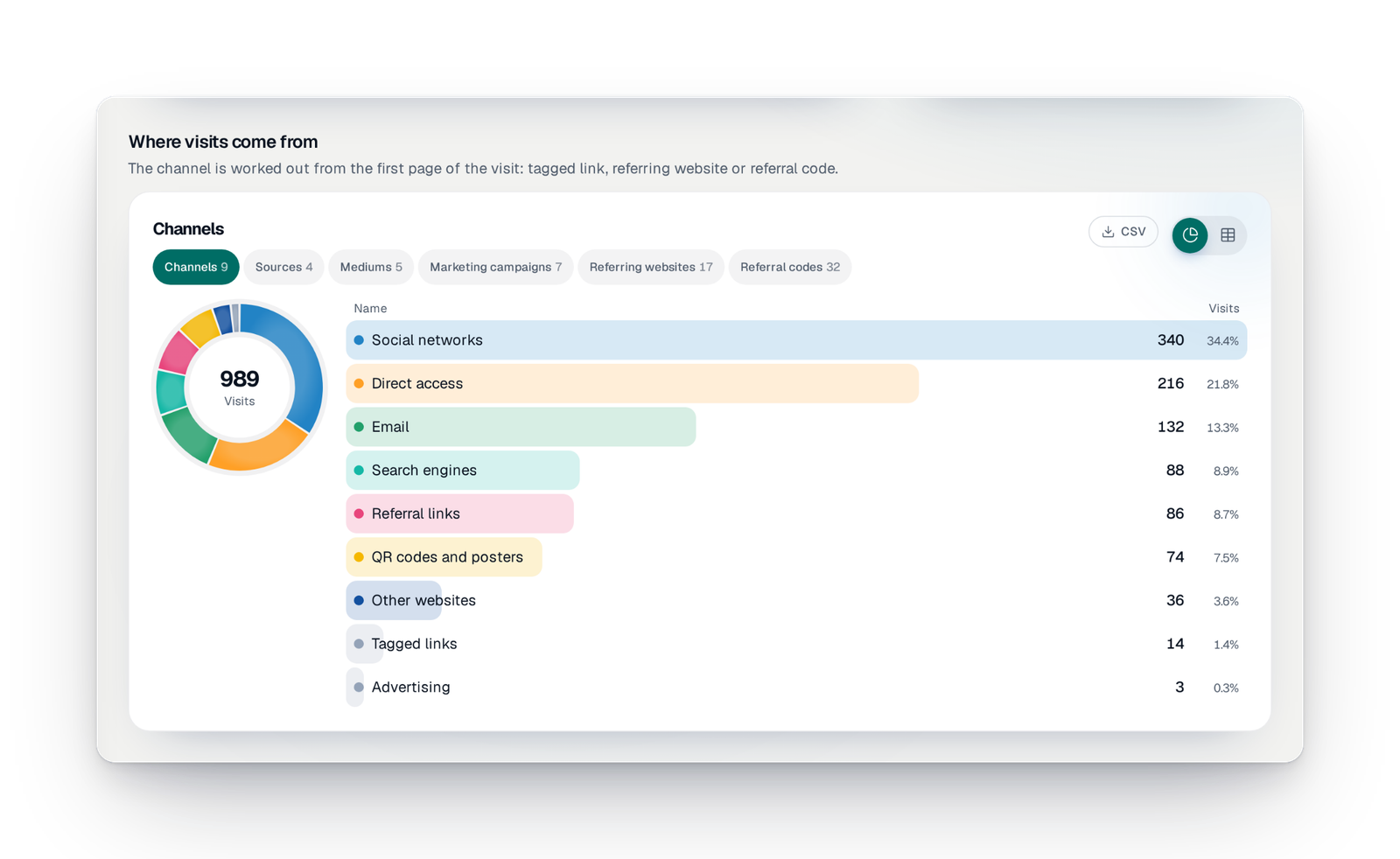
Where your visitors come from
Visits to your pages, where they come from and how many turn into purchases. Measured without cookies or fingerprinting: you have no measuring tool to add.
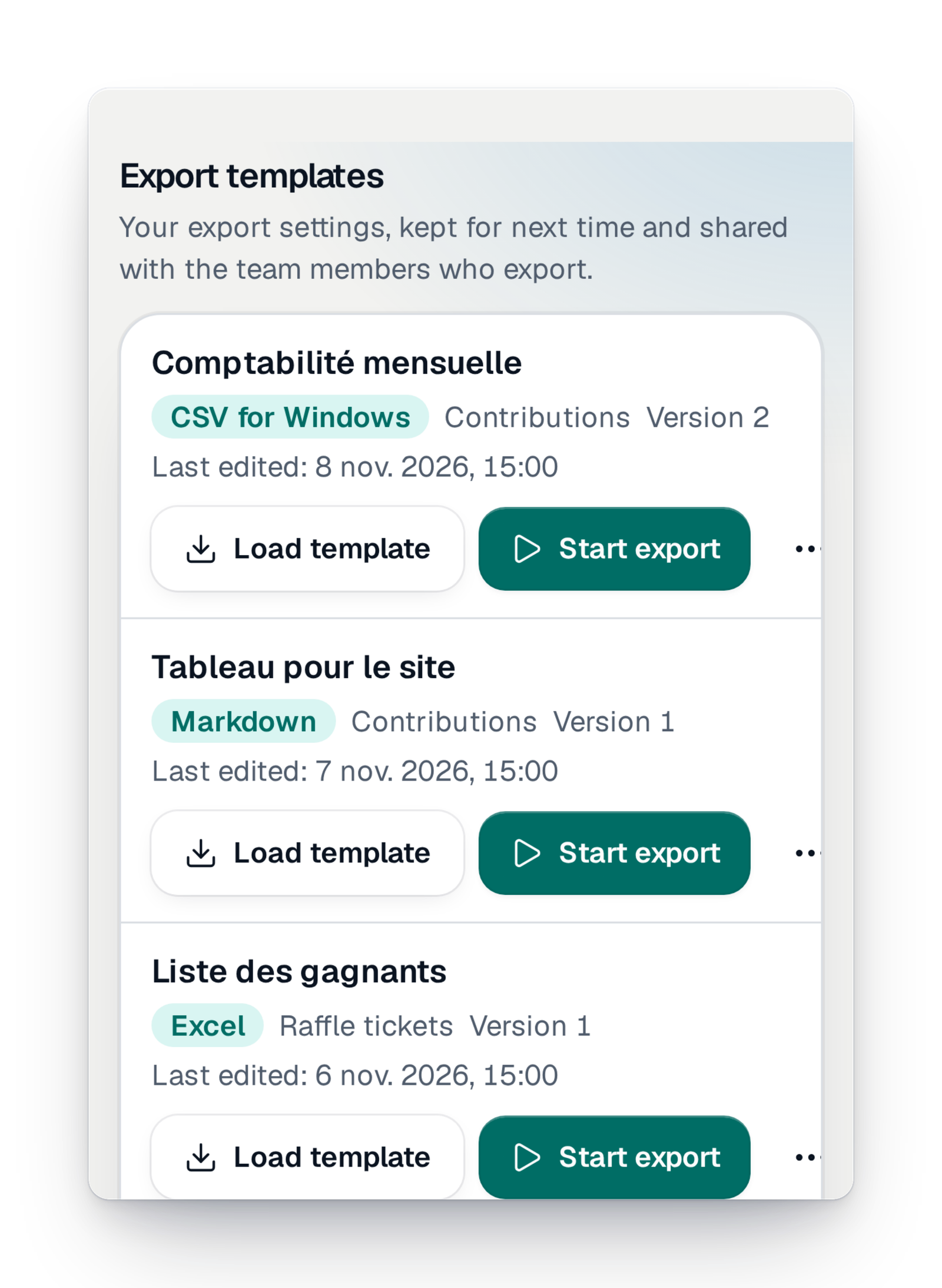
Exports for the treasurer
Export sales and tickets with the columns and format you choose, keep your settings for next time and find your files in "My exports".
The campaign report
An end-of-campaign document, in a short and a detailed version, with sales, prizes, visits and partners. Prepared by our studio.
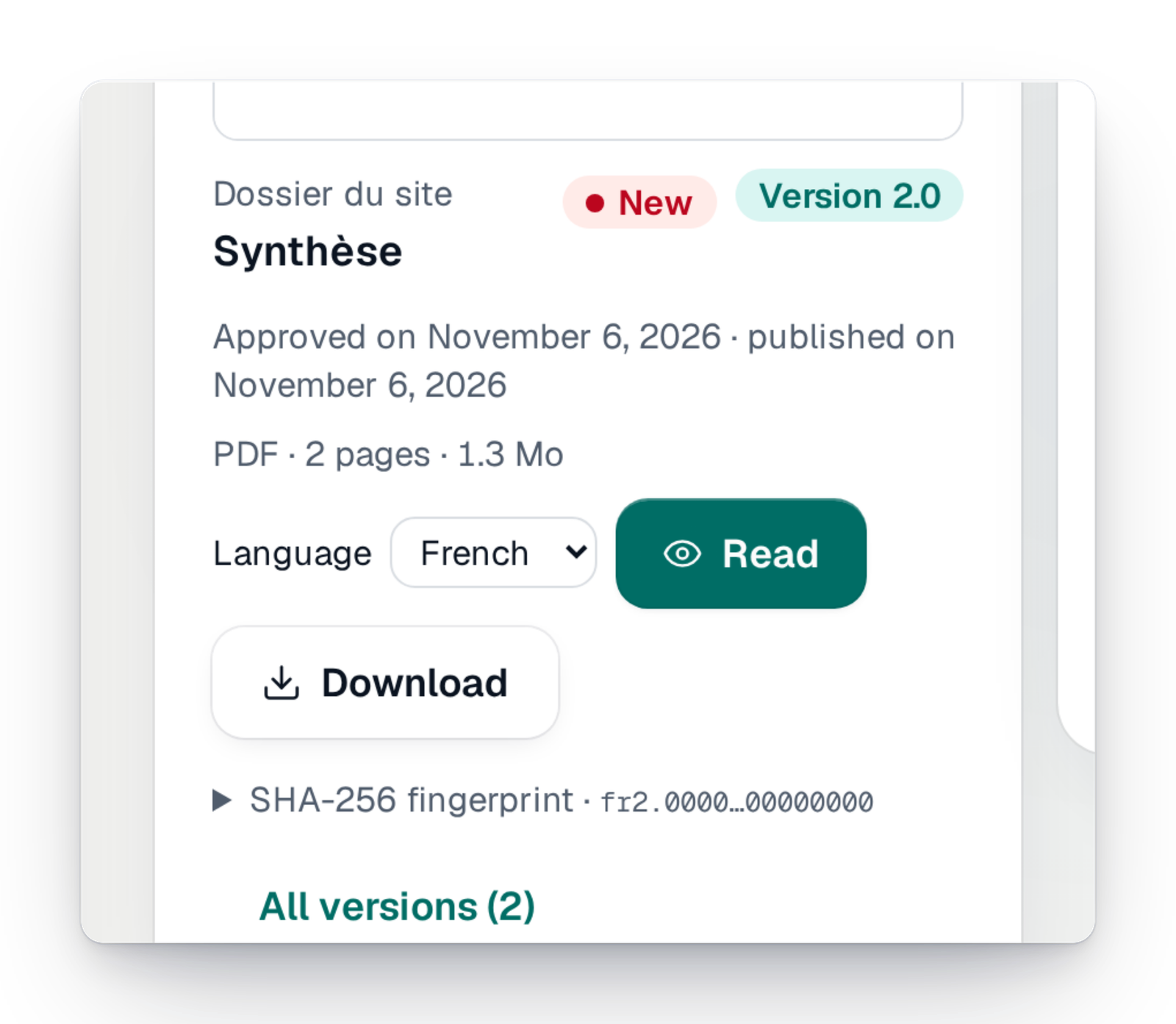
The campaign's documents
For a Signature campaign, the documents our studio publishes for you, to read online or download, with an e-mail for each new one.
What's new in tracking
What arrived recently, and what is coming soon.
Your questions about tracking sales
Yes. The dashboard updates with every payment. While the page is open, it reads the figures again regularly, without you reloading it.
Yes. You choose the columns and the file format, CSV or a spreadsheet for example, keep your settings as a template, and find your files in "My exports". You can also send them by e-mail to members of your team.
Create one tracking link per medium: the poster, the newsletter, the message to parents. Each link then shows the sales and the amount it brought in.
No. Seeing buyers' contact details is a separate right. Someone without it sees shortened names, with no e-mail or phone number.
No. Visits to your pages are measured for you, without cookies or fingerprinting, and they show in your interface.
Yes. Type its number: you see who it belongs to, its status and, if it won, the prize and how to collect it.
Clear figures, from the first ticket to the draw
Create your campaign and follow every sale live, with no spreadsheet.