
Track sales
Your sales live, with every payment
The dashboard shows what your raffle has raised, how many tickets have gone, when people buy and what you can expect at closing. It updates with every payment, with nothing to install.
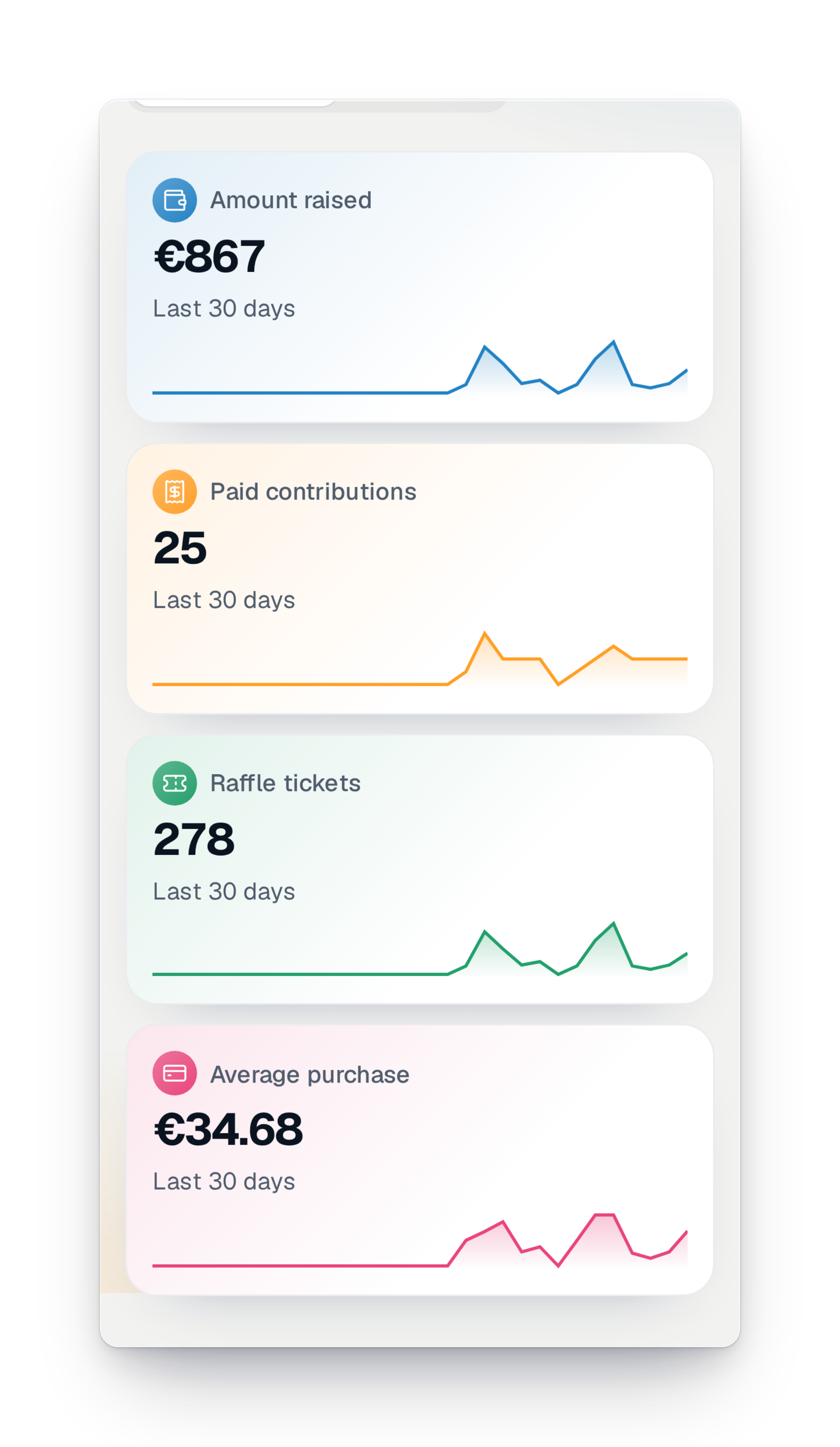
- Updated with every paymentThe dashboard updates as soon as a ticket is paid, without reloading the page.
- Nothing to installYour sales, your visits and your links are measured for you, with no tool to add to your page.
- Everyone sees what they shouldBuyers' contact details stay hidden from team members who don't have that right.
No more figures copied out at night
During a campaign, everyone asks the same question: "Where are we?". The board wants to know whether to send a reminder, the volunteers want to know whether their selling evening counted, and you want to know whether you will reach your goal before the draw. Without a tool, you copy figures into a spreadsheet, you add them up, and the figure is already wrong the next morning.
Here, the answer shows up by itself. The figures update with every payment. The charts show the hours and days when people buy, so you know when to send a reminder. A forecast tells you what you can expect at closing if the pace holds, and you print it all for the board meeting.
What you see, at a glance
One screen of your interface, next to the list of sales and the exports.
Marker 1
The essentials in four figures
At the top of the screen: the amount raised, the number of paid sales, the number of tickets and the average basket. The figures update with every payment, without reloading the page.
Marker 2
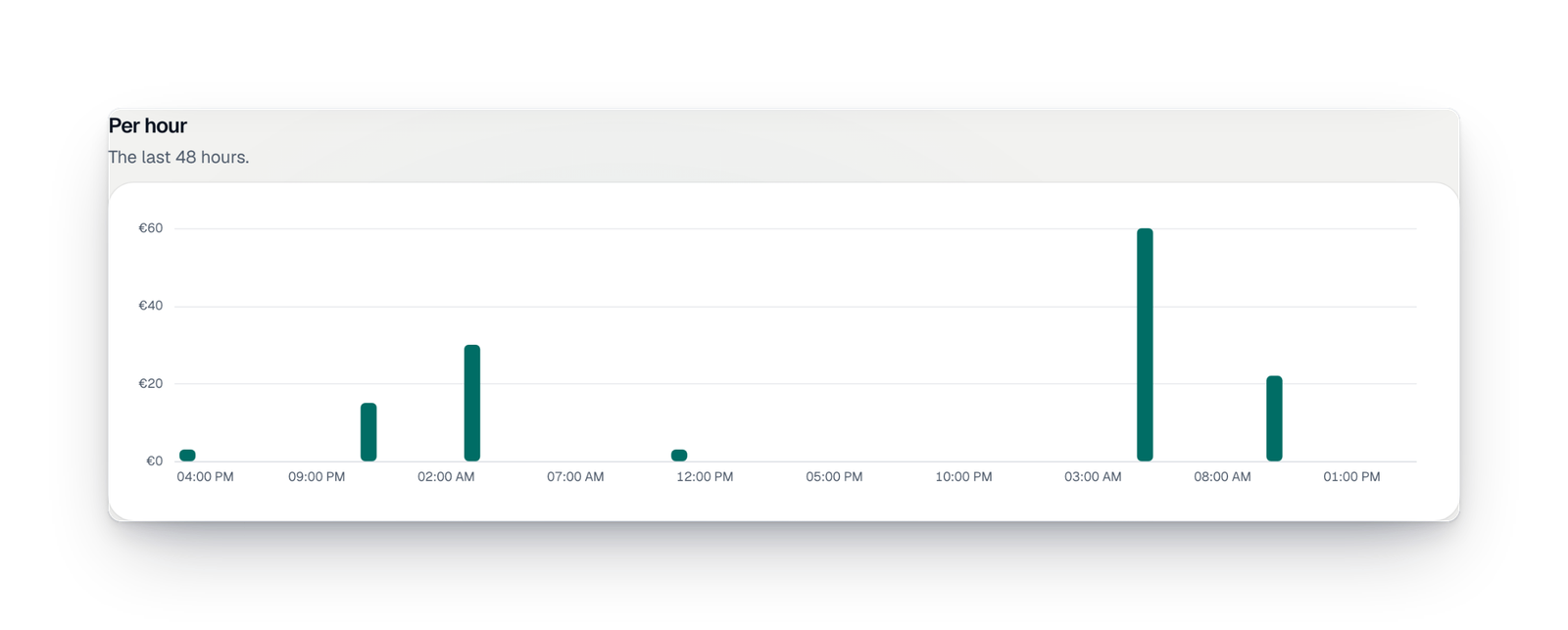
Sales hour by hour
Bars show sales hour by hour over the last two days, and day by day over the last month. You see at once the effect of a reminder, a message to parents or a selling evening. A period with no sale says so plainly.
Marker 3
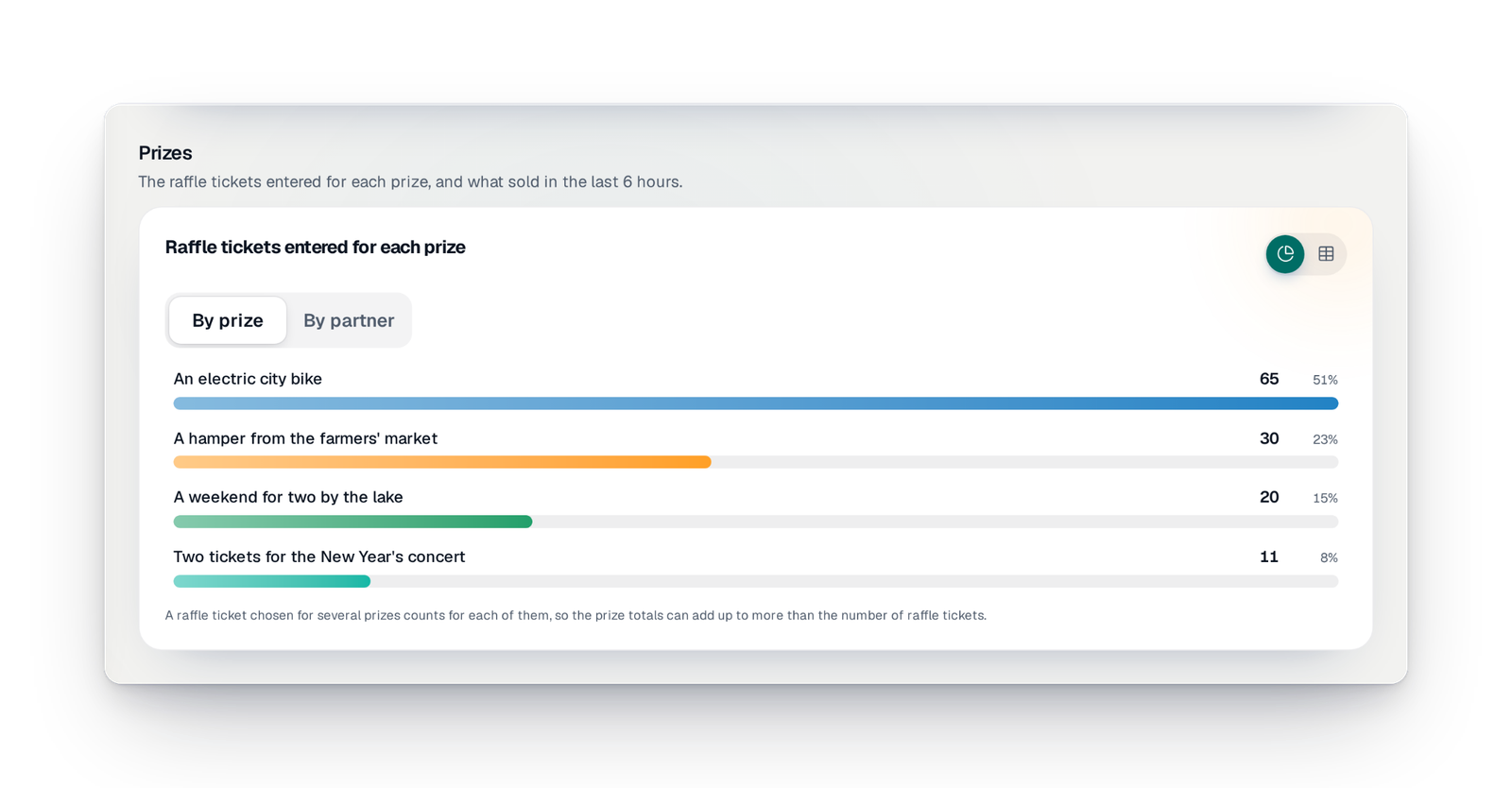
Sales prize by prize
When your buyers choose the prize they play for, each prize shows its tickets and their pace over the last hours. You can group them by the partner who gives them, to thank the most popular ones.
Marker 4
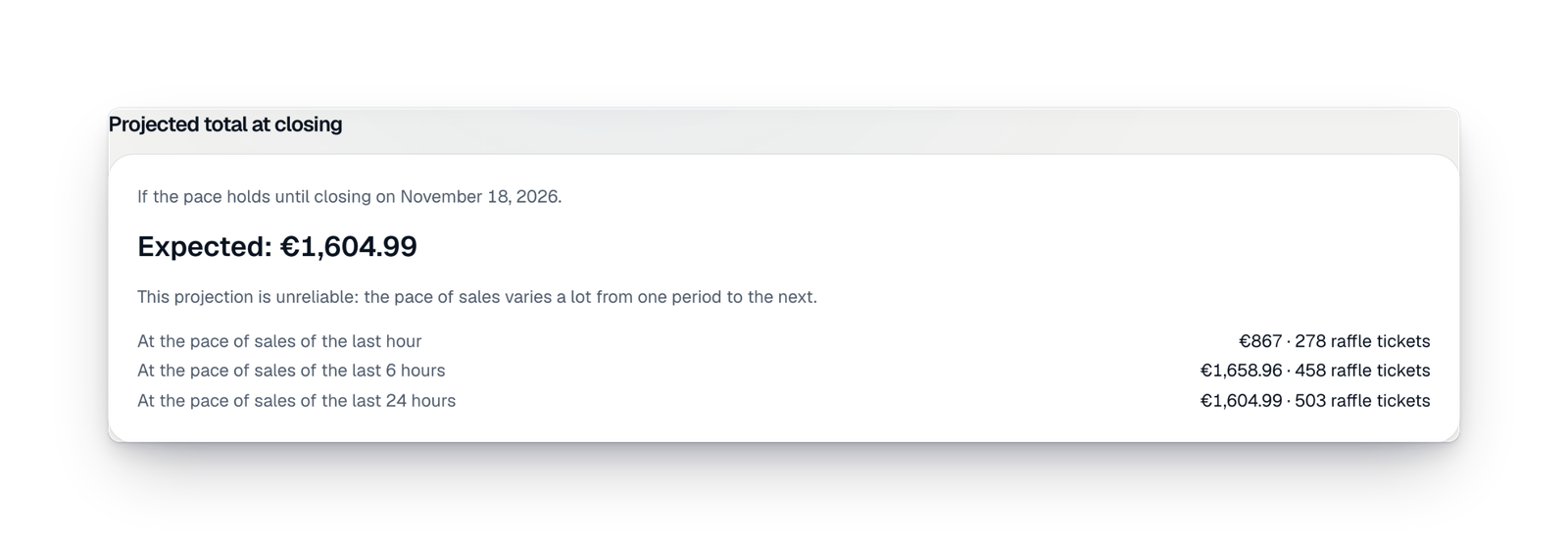
What you can expect at closing
The forecast works out what the campaign will have raised by the end date if the pace holds, based on the last hour, the last few hours and the last day. It also tells you whether this estimate is reliable or whether the pace varies a lot.
Good to know
- Available in every country, whatever your offer, as soon as your campaign is selling.
- The dashboard shows paid sales only. Pending sales are in the list of sales, with the "To collect" filter.
- It also shows the donations added to purchases, how amounts and tickets are spread, and the referrers' ranking when your campaign has referrers.
- "Print or save as PDF" prepares a clean version, in your campaign's name, for the board or your partners.
- Only the people on your team who have the right to see sales can open the dashboard.
Your questions
No. While the page is open, it reads the figures again regularly, and sooner right after a sale.
No, it is an estimate. It assumes the current pace holds until closing, and it tells you when that pace varies too much to be reliable.
The dashboard counts the paid sales recorded in your campaign. Paper ticket books have their own tracking screen, class by class.
Yes. "Print or save as PDF" prepares a clean page in your campaign's name, to print or to send.
The people you gave the right to see sales. Buyers' contact details stay hidden from anyone without that right.
Always know where you stand
Create your campaign: from the first sale, your dashboard fills in by itself.